Tools I've built我开发的工具

Journal Rank Local
Browser extension · Journal metrics shown in place on academic webpages浏览器扩展 · 在学术网页上就地显示期刊指标
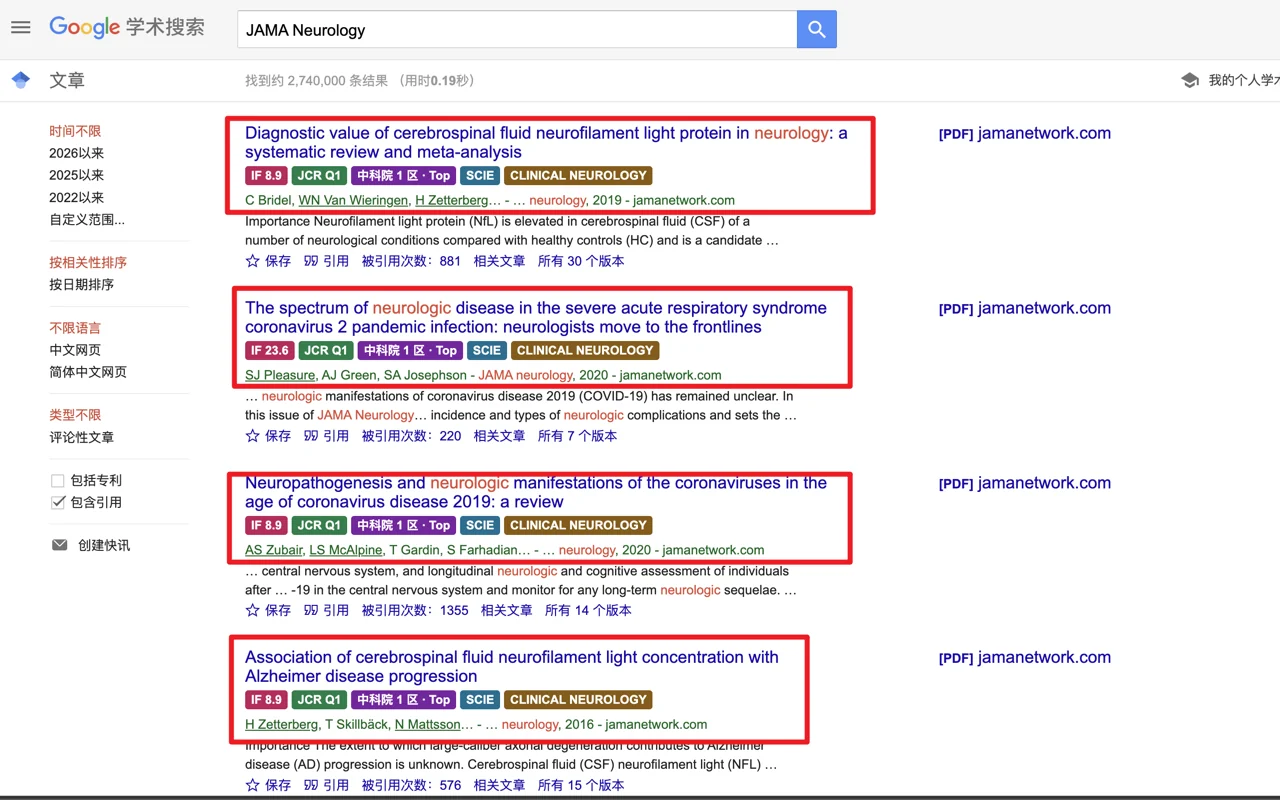
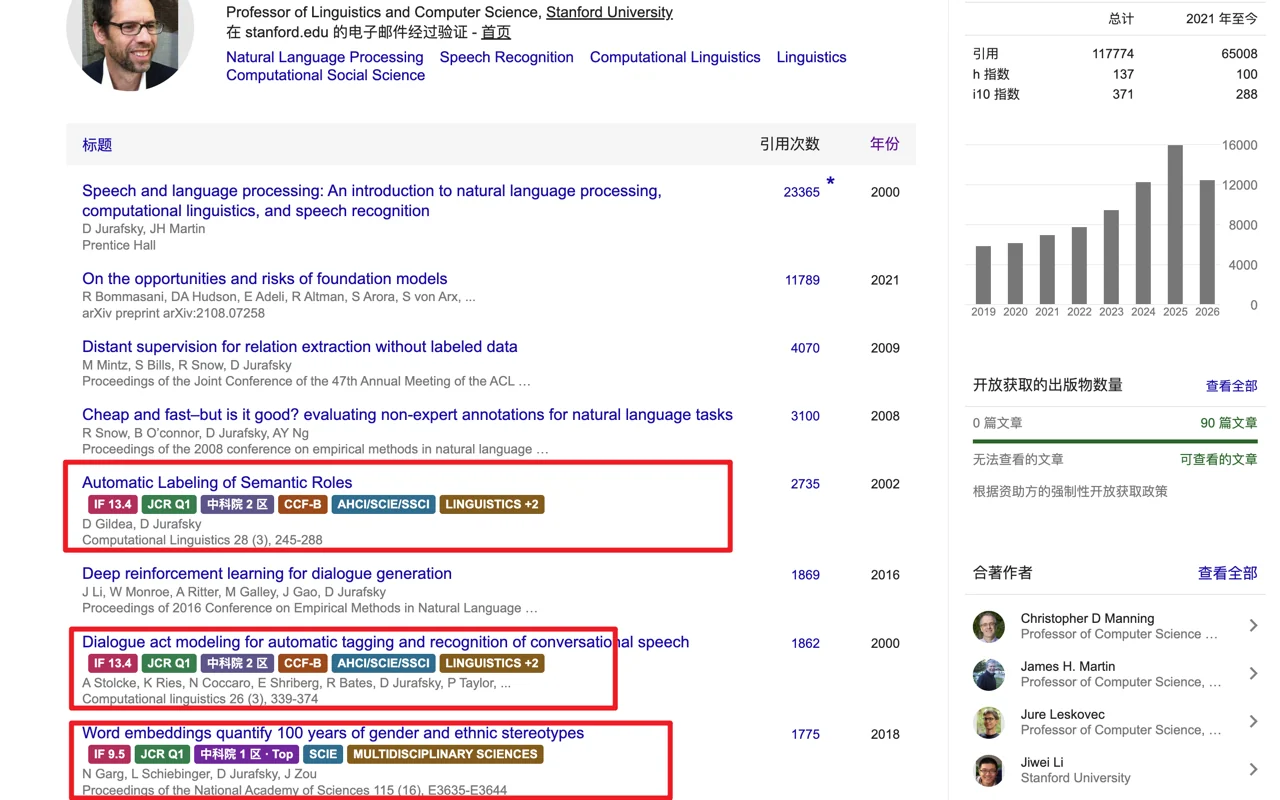
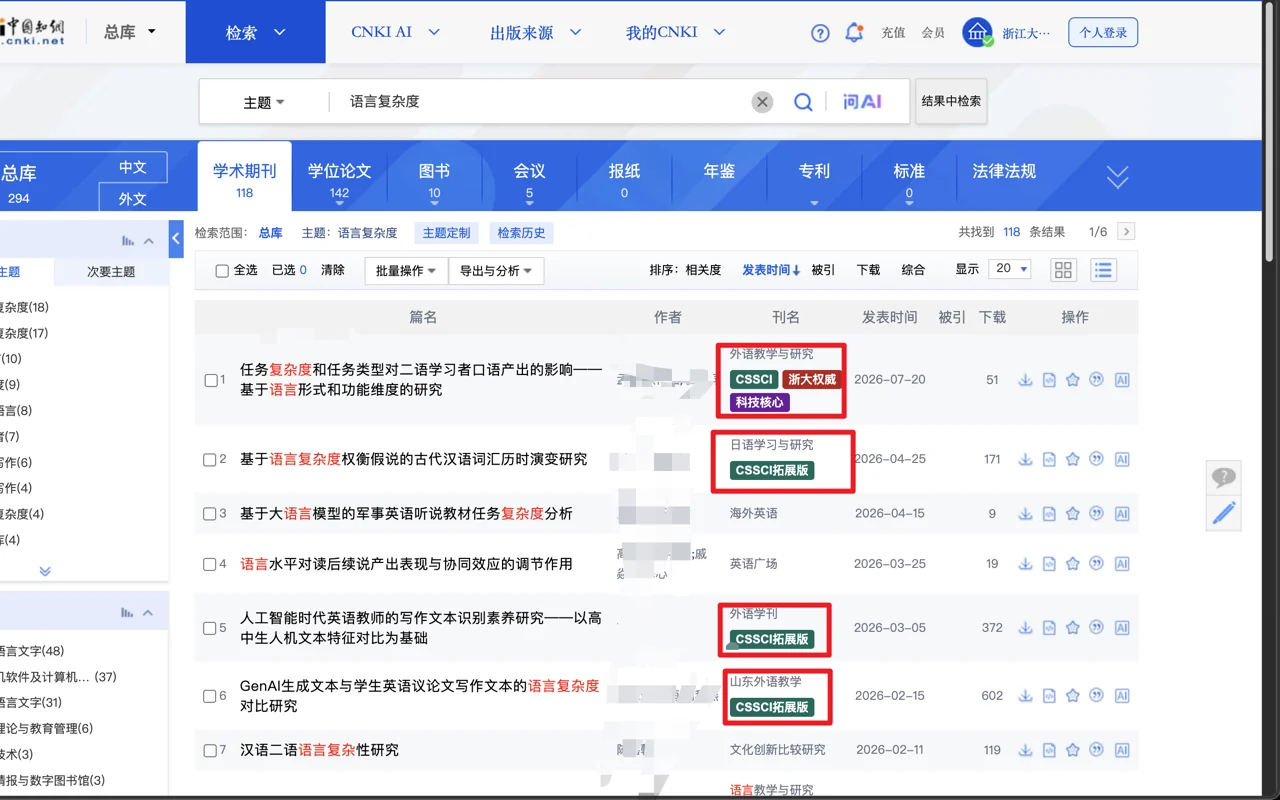
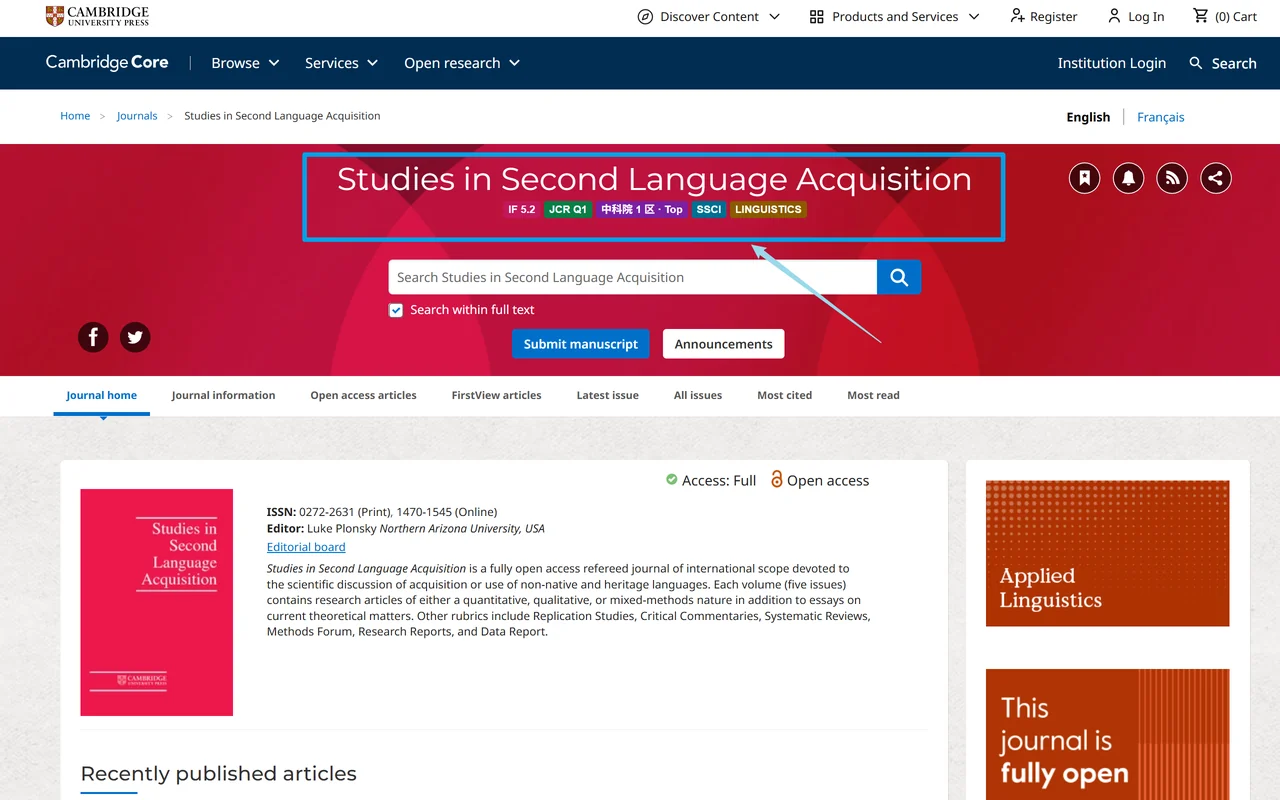
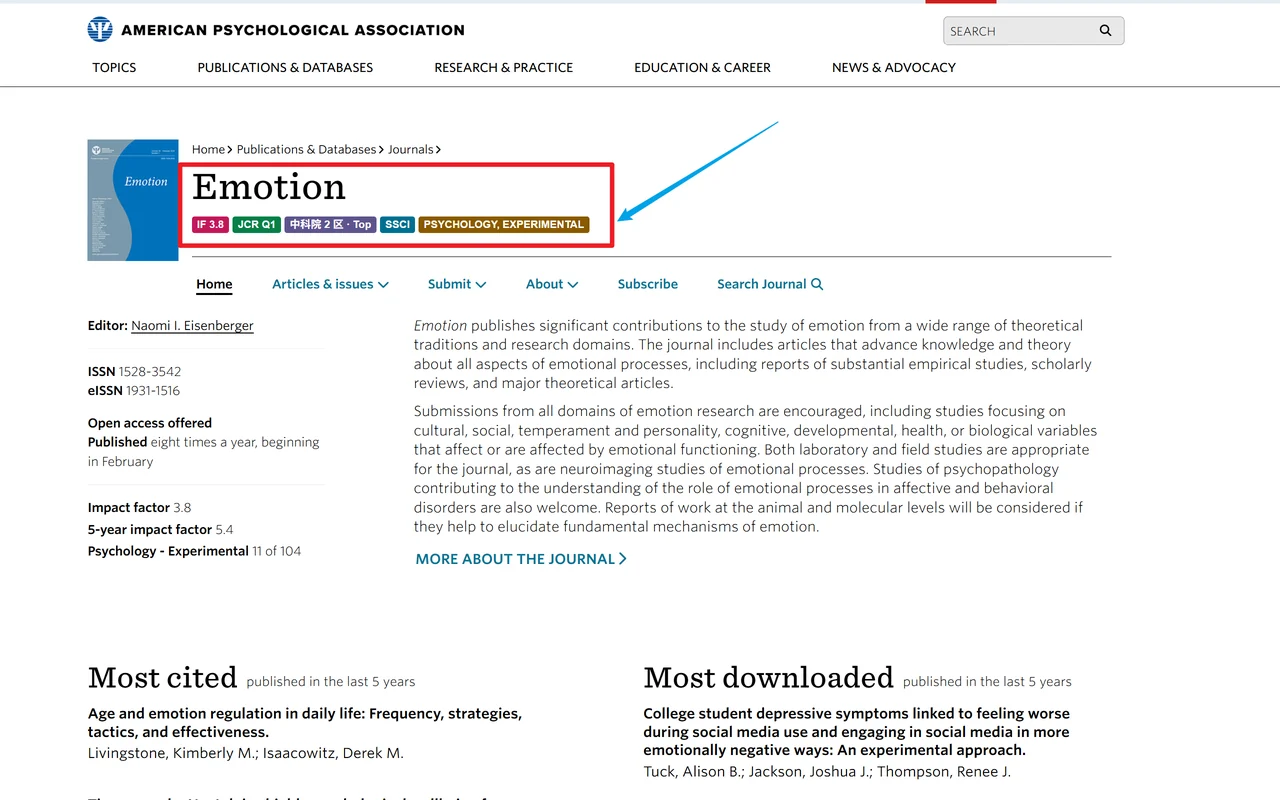
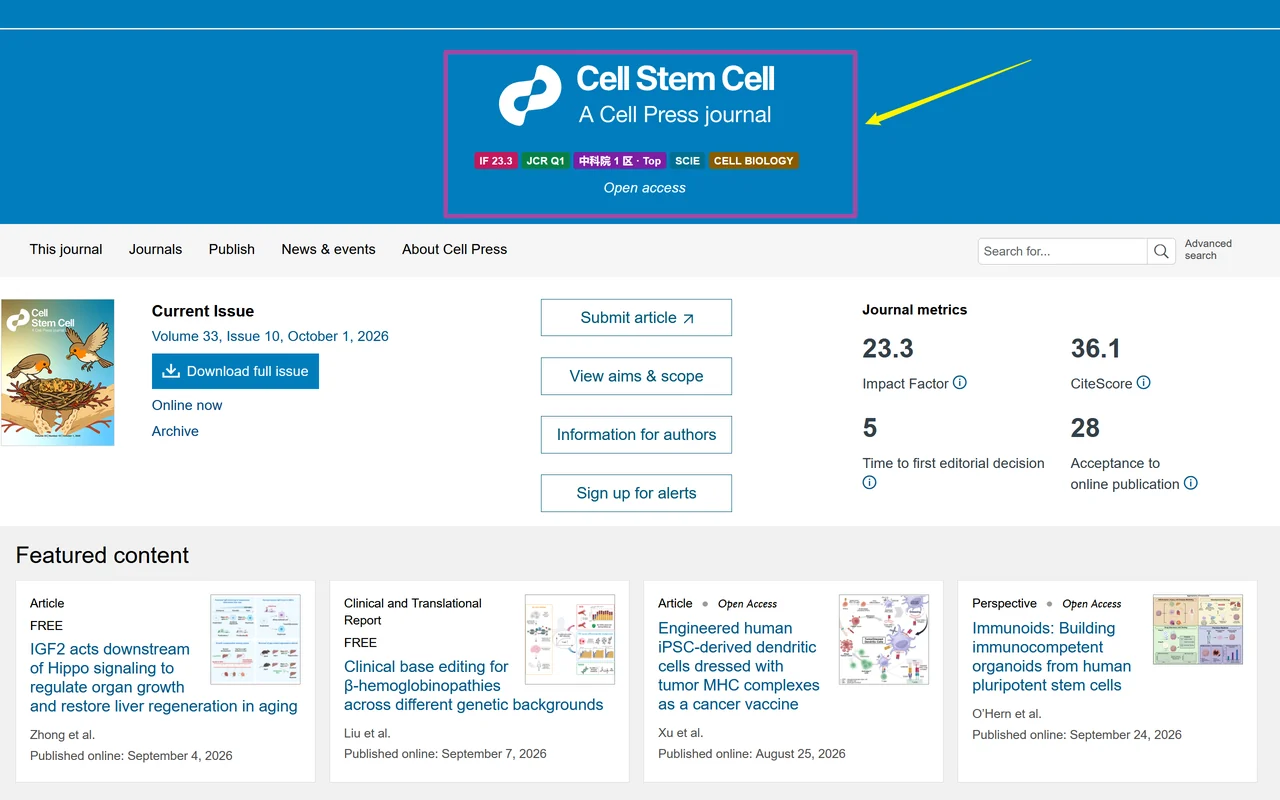
Journal Rank Local recognizes the journal of each paper on academic webpages and shows badges next to it: Impact Factor, JCR quartile, CAS ranking, and indexing. It works on Google Scholar (including Scholar alerts in Gmail), Web of Science, PubMed, CNKI, ResearchGate, ACL Anthology, and the sites of major publishers.
Data sources
JCR (Impact Factor and quartile) · CAS journal ranking · Peking University Core Journals · CSSCI (including the extended list) · CCF Recommended List · Zhejiang University journal classification · China Science and Technology Core Journals · EI Compendex. Each source can be switched on or off.
Accuracy and privacy
Journals are identified by ISSN, page metadata, and standard titles; when the evidence is uncertain, no badge is shown. All ranking data ships with the extension and is matched locally. Only when a journal cannot be identified locally does the extension look up public identifiers (DOI, PMID) in Crossref or NCBI, without cookies or referrer information.
Journal Rank Local 在学术网页上自动识别论文所属期刊,并在旁边显示影响因子、JCR 分区、中科院分区和收录情况。支持谷歌学术(含 Gmail 中的学术快讯)、Web of Science、PubMed、中国知网、ResearchGate、ACL Anthology 及主流出版社网站。
数据来源
JCR(影响因子与分区)· 中科院分区 · 北大核心 · CSSCI(含扩展版)· CCF 推荐目录 · 浙大期刊分级 · 中国科技核心 · EI Compendex。每项均可单独开关。
准确与隐私
通过 ISSN、页面元数据和标准刊名识别期刊,证据不确定时不显示。期刊数据全部内置,在浏览器本地匹配。仅在本地无法识别时,才用公开的 DOI、PMID 查询 Crossref 或 NCBI,请求不携带 Cookie 或来源页信息。
Get it for Chrome安装到 Chrome Get it for Edge安装到 Edge Get it for Firefox安装到 Firefox

IUsage
Windows app · Claude and Codex usage shown on the taskbarWindows 小工具 · 在任务栏上显示 Claude 和 Codex 的用量
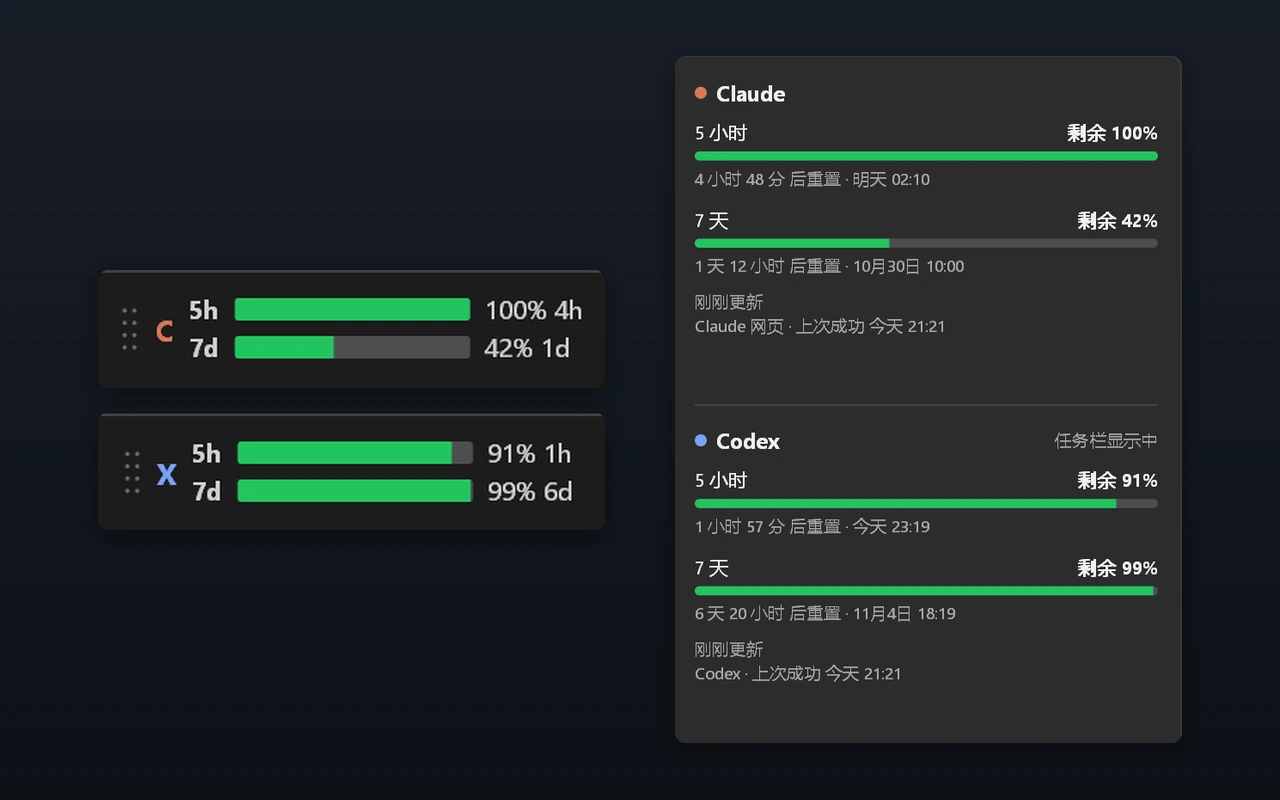
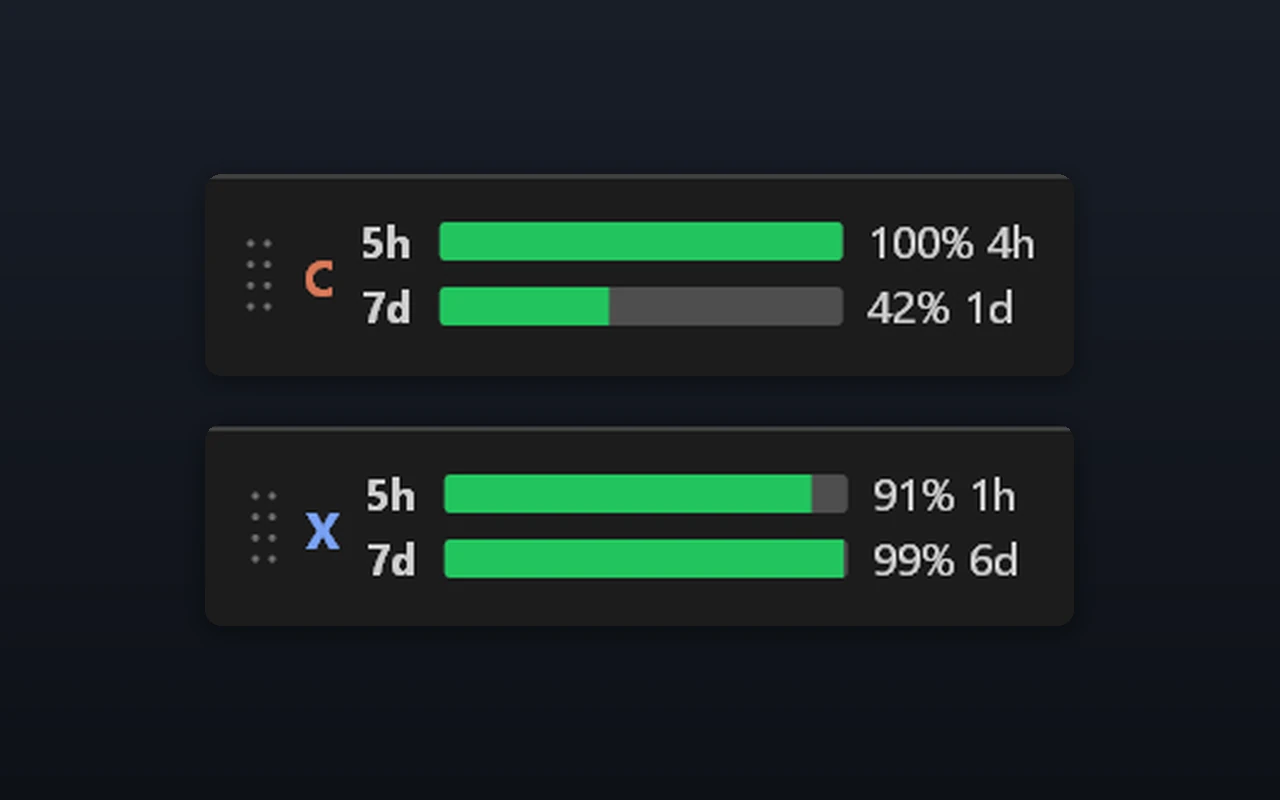
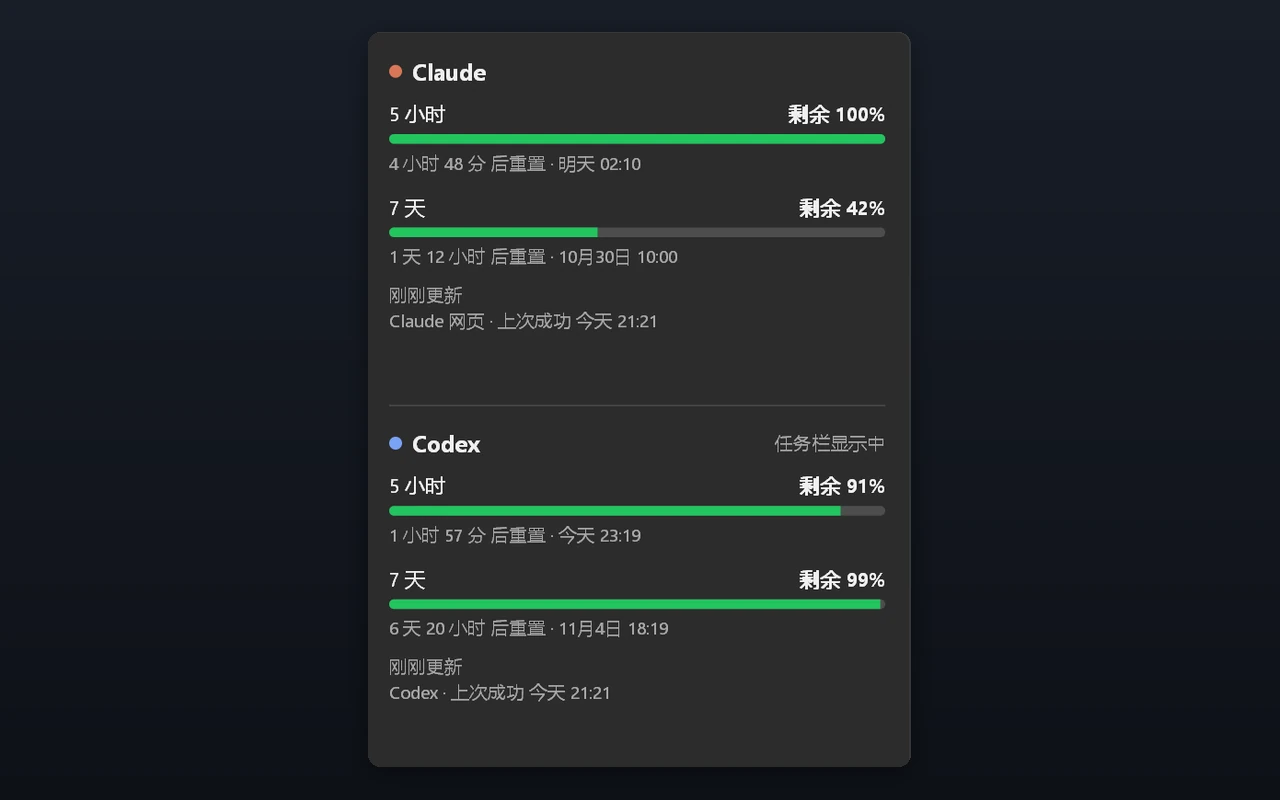
IUsage puts the usage limits of Claude and Codex directly on the Windows 11 taskbar, so you no longer have to open a webpage to see how much quota is left. Two bars show the 5-hour and 7-day limits, with the percentage and time until reset next to them; clicking a bar opens a panel with both services and their exact reset times.
Features
Bars turn yellow at 75% and red at 90% · system notifications when 20%, 10%, and 5% remain · one click to switch between Claude and Codex · show used or remaining quota · optional start with Windows. A single portable exe under 500 KB, with no installer or runtime required.
Privacy
IUsage connects only to the official servers of Claude and OpenAI, with no analytics, telemetry, or auto-update. A web sessionKey is stored on the computer with Windows' built-in encryption and never written to logs. Polling is paced to avoid rate limits and slows down while the computer is idle. IUsage is unofficial and may stop working if the services change their interfaces.
IUsage 在 Windows 11 任务栏上直接显示 Claude 和 Codex 的用量,不用再打开网页查还剩多少额度。两条进度条分别对应 5 小时和 7 天额度,旁边显示百分比和离重置还有多久;点一下进度条即可在详情面板中同时查看两者的用量和精确重置时间。
功能
用到 75% 变黄、90% 变红 · 剩余 20%、10%、5% 时各弹一次系统通知 · 一键切换 Claude / Codex · 可显示已用或剩余 · 可开机自启。单个 exe,不到 500 KB,免安装,不需要额外运行库。
隐私
只连接 Claude 和 OpenAI 的官方服务器,没有统计、上报或自动更新。网页登录的 sessionKey 用 Windows 自带的加密保存在本机,不写入日志。刷新节奏避开限流,电脑空闲时自动放慢。本工具为非官方工具,所用接口可能因官方改动而失效。
Download for Windows下载 Windows 版